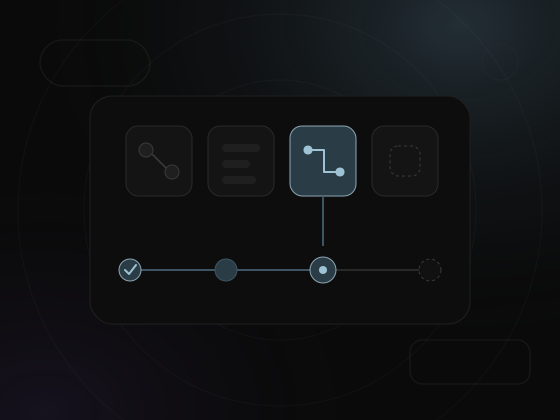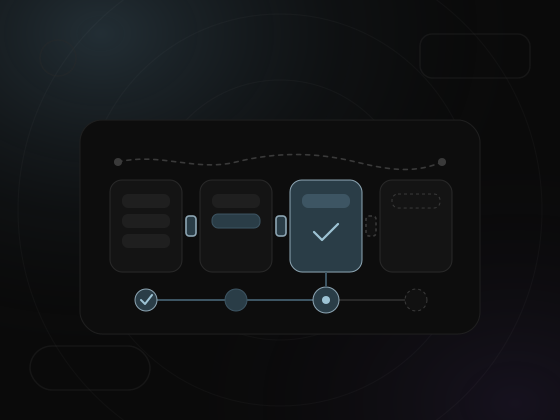
Sales process automation is usually sold as a switch you flip: connect the CRM, turn on the sequences, and the pipeline runs itself. In practice, the businesses that get the most from it are the ones that spent an afternoon with a pen first. If nobody can say what has to be true for a deal to move from one stage to the next, an automation cannot say it either. This post covers how I map a pipeline before anything is built, which parts of the sales process are worth automating, and which are better left to a person.
What sales process automation actually means
There are two things that get called sales automation, and the difference matters.
The first is automating single tasks: a follow-up email that sends itself, a contact created from a form, a reminder to call someone back. Each is useful on its own, and each is easy to set up.
The second is automating the process: connecting those tasks so a prospect moves from first enquiry to booked call to proposal to signed deal, and the system knows where every prospect is and what should happen next. This is where the real time saving is, and it is also where things go wrong, because the system can only follow the route you give it.
When I talk about sales process automation, I mean the second one. The individual tasks are the easy part.
Why automating an unmapped pipeline backfires
Most small businesses have a sales process that lives in someone’s head. It works because that person fills the gaps by instinct: they know this lead needs a call rather than an email, or that a quote should not go out until the site visit is done.
Automation has no instinct. Point it at an unmapped process and three things tend to happen:
- It follows up at the wrong moment. A sequence that sends “just checking in” to someone who signed yesterday makes you look like you are not paying attention.
- Deals sit in the wrong stage. If “qualified” means something different to each person, the automation moves deals on too early or never moves them at all, and your pipeline report stops meaning anything.
- Nobody trusts it. Once the team has seen it send the wrong message twice, they start working around it, and you are now paying for a system and a spreadsheet.
Automating a broken process makes it break faster. I made the same point about tools in business process automation tools compared for small teams: choose the process first and the tool second. Sales is where that rule matters most, because the mistakes land in front of customers.
Step 1: Write down the route a prospect takes today
Start with what actually happens, not what should happen. Take the last ten deals you won and the last ten you lost, and trace each one back to first contact. Note:
- Where the enquiry came from: the website, a referral, a phone call, an ad, an outbound message.
- Every handover: who picked it up, who spoke to them next, who sent the quote.
- Every wait: how long between the enquiry and the first reply, between the call and the proposal, between the proposal and the chase.
- Where the lost deals went quiet.
This is the same audit I run at the start of every AI Makeover: I follow the customer journey end to end and log every pinch-point before anything is built. It is nearly always the waits, not the conversations, that lose deals. Research published in Harvard Business Review on the short life of online sales leads found that response speed has a large effect on whether an online enquiry ever turns into a conversation, which matches what I see in client pipelines.
Step 2: Define stages by what the buyer has done
Once you can see the route, group it into stages. For most service businesses that is five to seven, something like:
- New enquiry. Someone has made contact.
- Qualified. You have confirmed they are a fit: budget, timing, the right kind of work.
- Call booked. A consultation call is in the diary.
- Proposal sent. They have a written scope and price.
- Won or lost. A decision has been made.
The important part is how you define each one. A stage should describe something the buyer has done, not something you feel. “Interested” is a feeling. “Has booked a call” is a fact the CRM can check.
Step 3: Set exit criteria for every stage
Exit criteria are the rules for moving a deal from one stage to the next. They are what turn a pipeline from a list of hopes into something an automation can act on.
Good exit criteria are observable and few: two to four per stage is plenty. For example, a deal might leave “Qualified” only when the budget range is recorded, the decision maker is identified and a call is booked. If one of those is missing, it stays where it is.
If you want a public example of what this looks like in a large sales organisation, GitLab publishes its opportunity stages and their exit criteria in its open handbook. A small business needs a fraction of that detail, but the principle is the same: every stage has a written definition, and the definition is about evidence.
Once the criteria are written down, they become rules in the CRM. A deal cannot move to “Proposal sent” without a proposal attached. A deal that has sat in “Call booked” for a week after the call date gets flagged. That is the point at which automation starts to help rather than hurt.
Step 4: Mark every step as machine, person or both
Now go through each stage and sort every step into one of three columns.
Steps a machine should run. Anything repetitive, rule-based and time-sensitive. Creating the contact when an enquiry arrives. Sending an immediate acknowledgement. Sending a booking link so nobody has to agree a time by email. Reminding the prospect the day before the call. Chasing a proposal that has had no reply. Moving the deal when the exit criteria are met. Logging it all.
Steps a person should keep. Anything that needs judgement or trust. The consultation call itself. Deciding whether a borderline lead is worth pursuing. Pricing anything non-standard. Negotiating. Replying to a complaint.
Steps where a machine prepares and a person decides. This is where AI agents earn their place. An agent can read an enquiry and suggest how it should be qualified, research a prospect before a call, or draft a first message for someone to approve. The person still makes the call, but they start from a draft rather than a blank page.
That third column is how I built the lead generation in the client base growth case study, where a local marketing agency reached 10 clients in 2 months. An AI agent researched prospects and drafted a specific opener for each one, a person approved what went out, and every enquiry went straight into a CRM sequence that followed up without anyone having to remember. The follow-up running on its own is where most of the recovered opportunity came from.
What to automate first
If you only automate three things, make them these:
- The first response. Every enquiry gets an acknowledgement within minutes and lands in the CRM as a contact, whatever time it arrives. For a business that gets a lot of enquiries, an AI agent can go further and qualify them as they come in. That is what I built for an events hire company in the AI enquiry qualification case study, which saves the team 25hrs a week and cut response time by 99.9%.
- The booking step. Replace the back and forth of agreeing a time with a booking link that drops the call straight into the diary and the pipeline.
- The follow-up after a proposal. This is the step most often forgotten when everyone is busy, and the one where a polite, well-timed reminder makes the biggest difference.
Everything else, such as lead scoring, reporting and handover to delivery, can come later once these three are running reliably.
Keep the automated messages legal and human
Automated follow-up is still direct marketing. In the UK, emails and texts to individuals are covered by PECR as well as UK GDPR, and the rules on consent and the soft opt-in depend on how you got the contact’s details. The ICO’s guidance on direct marketing using electronic mail sets out when you need consent and what every message must include. Build the opt-out and the suppression list into the CRM from day one, not as an afterthought.
The other rule is tone. A sequence that reads as automated does more harm than sending nothing. Write each message as if you were sending it by hand, keep sequences short, and stop them the moment the prospect replies. A reply is a conversation, and conversations belong to a person.
Where the automation should live
For most small businesses, the sales process automation belongs inside the CRM. That keeps the rules next to the data they act on, so stages, sequences and reminders all see the same record. When I set up the funnel and CRM as part of an AI Makeover, the email, SMS and remarketing sequences are built there for exactly that reason.
A connector platform is only needed when the sales process has to reach something the CRM cannot, such as an accounting package for invoicing once a deal is won. If you are weighing that up, B2B marketing automation: building a pipeline that runs without you covers how the marketing side feeds the pipeline, and what a marketing automation consultant actually builds covers the wider system.
Review it after a month, then every quarter
A mapped and automated pipeline is not finished when it goes live. After the first month, check:
- How many deals are stuck in each stage, and why.
- Whether any automated message went to the wrong person or at the wrong time.
- Whether the team is still updating anything outside the CRM, which usually means a stage or rule does not match how they actually work.
Then review it every quarter. Sales processes change as the offer changes, and the exit criteria should change with them.
Getting it built
You can map a pipeline yourself, and I would encourage you to start: the ten won and ten lost deals exercise above costs nothing and usually shows the problem within an hour. Building the automation is where most small teams want help, because it touches customers, the CRM and several tools at once.
The AI Makeover starts with an audit of your marketing, sales and internal processes, including the pipeline, so you get a prioritised action plan before anything is built. Then I build and install the funnel, CRM sequences and any AI agents the audit calls for. You are not left with a slide deck of recommendations. If you would rather talk through your pipeline first, book a consultation call.